openshorts

Video workflow guide

Explore openshorts ai for short-form video planning

If you found openshorts ai while looking for help making short videos, start by separating the creative workflow from claims about a particular tool. This guide shows what to plan, what to verify, and where to look next.

Short-form video imagery from the openshorts site

This entry point vs the general one

The general openshorts overview is a place to orient yourself. This entry point is for deciding where AI assistance might fit before you commit to an editing workflow.

Podcast producer

You have a long conversation and want to identify a self-contained moment with a clear opening and ending. An AI-assisted search may help surface candidates, but a person should check the context.

Start with a shortlist of moments, then review each clip against the full discussion.

podcast to shorts
YouTube creator

You want to turn an existing video into several short-form ideas without assuming every excerpt will stand alone. Look for a complete thought rather than a dramatic sentence taken out of context.

Choose candidate segments before deciding how to frame or caption them.

youtube to shorts converter

Workflow researcher

You are comparing a browser-based creation path with a possible integration path. Those are different questions, and an AI label alone does not establish that an integration exists.

Check the documented connection route separately from the creative workflow.

openshorts mcp

First-time editor

You need to understand the sequence from source material to a reviewed short before evaluating automation. Write down the steps you expect a tool to handle.

Use a workflow explanation to identify which decisions remain yours.

how openshorts works

Three decisions to make before editing

An AI-oriented entry point is most useful when it helps you ask narrower questions than a general product overview.

  1. 1

    Choose a source and a purpose

    Decide whether the short should explain one idea, highlight an exchange, or invite viewers to watch the longer video. Openshorts is easier to assess against a specific goal than against a vague request to make clips.

  2. 2

    Select a moment that stands alone

    Check that a viewer can understand the point without missing context. If you use AI to suggest moments, verify speaker intent, factual claims, and the start and end of every candidate yourself.

  3. 3

    Plan the viewing experience

    Consider framing, readable text, pacing, and a final review on a phone-sized screen. These are checks to make in any openshorts workflow, not a promise that one tool performs them automatically.

How to start with the right question

Begin with the part of the workflow you need to understand. These related guides address different questions rather than treating every video task as the same job.

Limits to check before you proceed

The openshorts name and an AI-related search are not evidence of a particular feature, file format, export setting, or level of automation.

  • It cannot verify a feature for you

    A search result does not establish which AI functions are available through the destination or whether they apply to your source video.

    WorkaroundCheck the current product interface and its documentation before building a production process around a feature.

  • It cannot guarantee editorial accuracy

    A suggested excerpt may remove a qualification, change the apparent meaning of an answer, or omit an important speaker response.

    WorkaroundWatch the surrounding footage and approve the final cut against the original recording.

  • It cannot settle rights or consent

    AI assistance does not grant permission to reuse footage, music, a guest's likeness, or a third party's upload.

    WorkaroundConfirm your rights and any required permissions before publishing.

A closer comparison of the two entry points

Use this table to decide what to investigate. It compares the questions each path helps you ask; it does not claim that either path has exclusive product controls.

1

Starting question

AI-focused entry point

Where might AI assistance help with this short?

General openshorts overview

What does the overall video workflow involve?

2

Best starting material

AI-focused entry point

A source video and a specific editorial goal

General openshorts overview

A general idea of the video you want to make

3

Clip selection

AI-focused entry point

Evaluate suggested moments for clarity and context

General openshorts overview

Understand where selection fits in the process

4

Human responsibility

AI-focused entry point

Verify meaning, accuracy, and the final presentation

General openshorts overview

Identify the decisions an editor must make

5

Feature checks

AI-focused entry point

Confirm the AI functions you intend to use

General openshorts overview

Confirm the basic workflow and available inputs

6

Useful next step

AI-focused entry point

Test one representative piece of footage

General openshorts overview

Map the process before choosing a specific task

See the framing decision

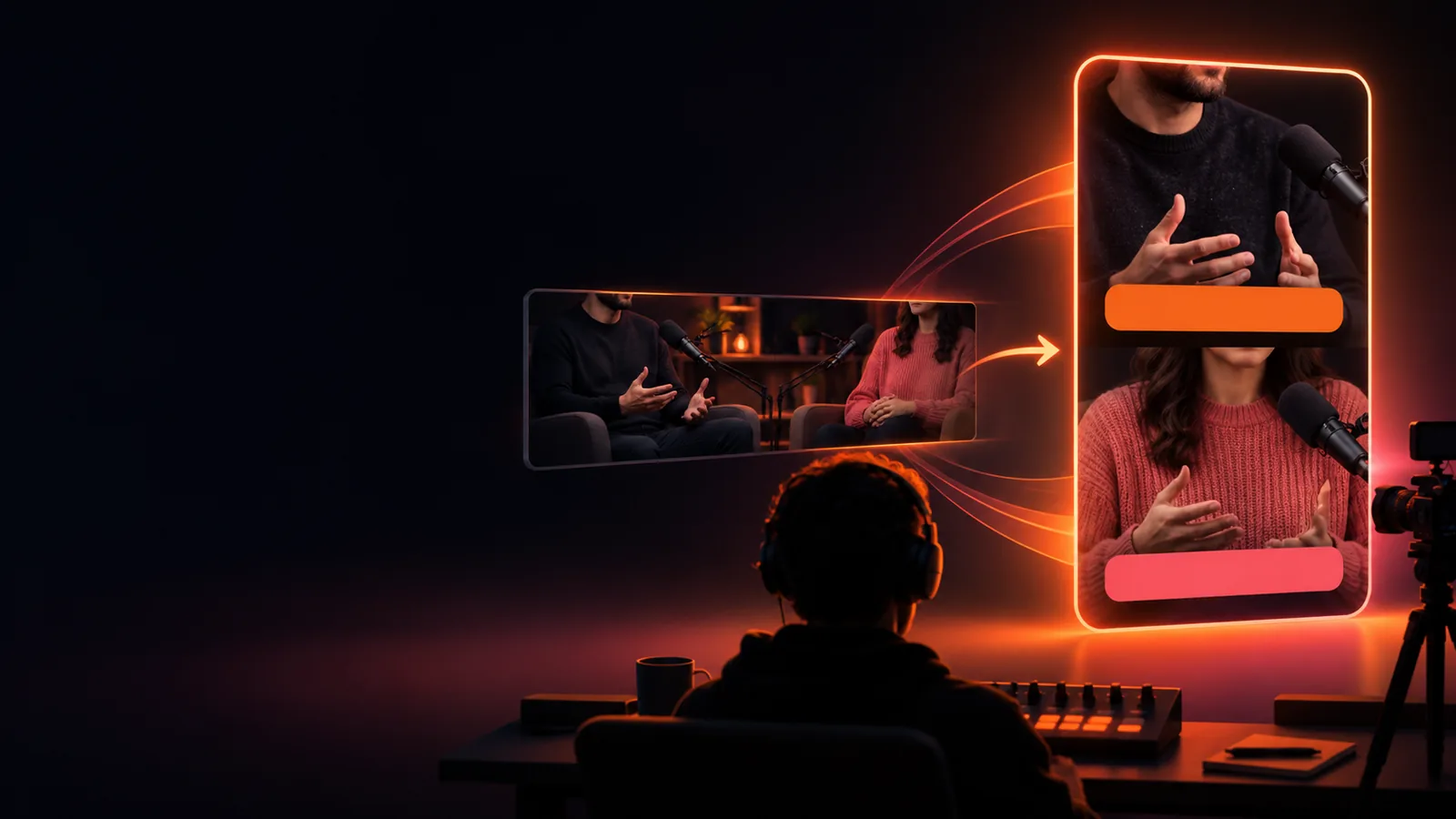
The example illustrates one planning question: can a moment from a wide recording remain understandable when presented as a vertical short?

  • Source frame
  • Vertical framing

These images illustrate a possible framing change, not a verified openshorts AI output. Review the speaker, context, and text placement in the actual result.

Original wide frame of a podcast conversation
Reframed vertical view of a podcast conversation

Take a representative video into your next check

Test the workflow against your own footage

Pick a recording you have permission to use and define what a successful short would communicate. Then inspect the destination's current capabilities, review any result against the source, and decide whether AI assistance actually saves work for your use case.

Explore video creation
  • Start with one clear editorial goal
  • Verify available features before relying on them
  • Review the final short yourself

Questions about this AI-focused search

It is a way to look for AI-related information about short-form video workflows associated with the openshorts name. The search phrase alone does not confirm which features the current destination provides. Check the product's own interface or documentation for a current feature list.

There is not enough evidence here to establish a separate editor. Treat it as a different research question from the general openshorts overview, then verify where each available workflow actually begins.

A suggested segment still needs an editorial check. Listen to the surrounding conversation so the excerpt preserves the speaker's meaning, and check that the opening makes sense to someone who has not heard the full episode.

Do not assume a particular reframing control exists or works for every source. Check the current tool's capabilities, then inspect the resulting crop for speakers, captions, and other important visual details.

Start creating
Start creating